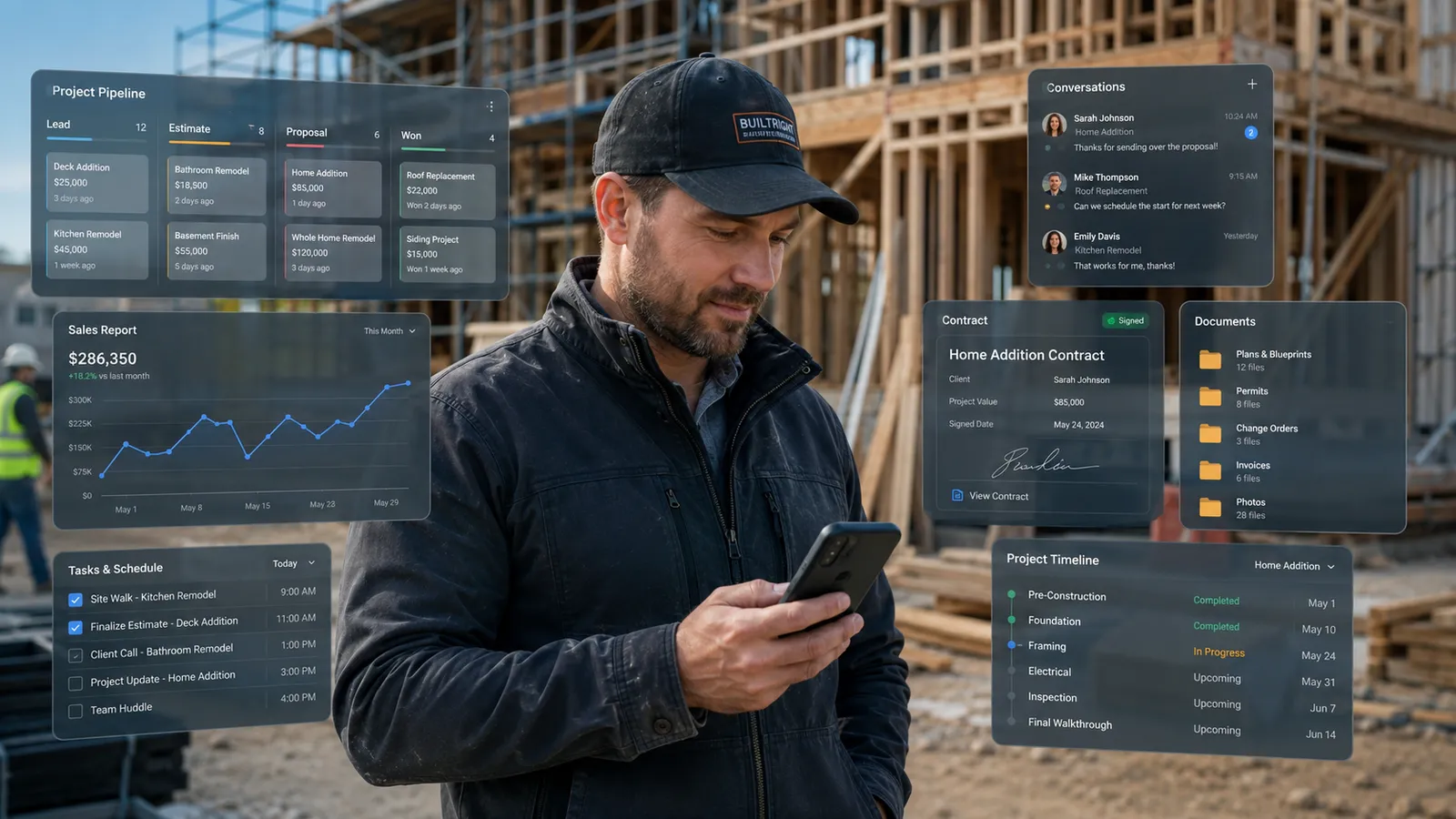
A CRM for contractors should do more than store names and phone numbers.
It should move a lead from first call to booked job, then keep the office and field team on the same customer story.
That is where contractor systems break. The office needs follow-up. The field team needs job details. The owner needs visibility.
A plumber managing service calls, a remodeler tracking long estimates, and an HVAC company missing after-hours inquiries do not need the same setup. One may need field service software, sales CRM, construction project management, or managed automation.
IMPORTANT
Key takeaways
- “CRM for contractors” can mean sales CRM, field service software, construction project management, or managed automation.
- Field service tools are best for scheduling, dispatch, invoices, payments, and mobile job updates.
- Sales CRMs are best for pipeline, reporting, email, and follow-up, but usually need contractor-specific setup.
- GO-BOSS fits as a managed CRM + automation layer, not a full dispatch or construction project management platform.
What a CRM for contractors actually means
A CRM for contractors is a system for managing leads, customers, conversations, estimates, follow-up, and sales opportunities from first contact to booked work.
The word “CRM” gets stretched in the contractor market. Sometimes it means a contact database. Sometimes it means a sales pipeline. Sometimes it means a field service platform with customer records attached to jobs. Sometimes it means bid tracking for commercial construction.
So the better question is not “What is the best CRM?” It is:
Where are we losing control today: before the job is booked, while the job is being scheduled, during the project, or after the quote goes quiet?
That answer decides the category.
Why one CRM setup does not fit every contractor
Contractors use “CRM” for different jobs.
For one business, CRM means a sales pipeline for open estimates. For another, it means customer records tied to scheduling, dispatch, invoices, and field notes. For a remodeler or builder, it may mean bid tracking, documents, change orders, and project handoff. For an owner-led service business, the real need may be managed lead response, booking, and follow-up.
That is why the first decision is not the brand name. It is the category.
A general CRM does not usually dispatch technicians. A field service platform may not give you the cleanest sales pipeline. A construction project tool may be too heavy for a small service team. A managed automation layer can fix missed leads and follow-up, but it should not pretend to replace every route, invoice, work order, or long-project budget.
The 4 CRM setup types contractors should compare
| Setup type | Main job | Best fit | What it may not solve |
|---|---|---|---|
| Field service software | Scheduling, dispatch, estimates, invoices, payments, field notes, customer records | Home service and trade businesses doing short-duration jobs | Deep sales pipeline design, advanced nurture, or managed setup |
| Sales CRM | Leads, contacts, pipeline, tasks, follow-up, reporting, email workflows | Contractors with longer sales cycles, bids, referrals, or sales/admin help | Dispatch, technician routing, job costing, work orders, or field operations |
| Construction project management | Budgets, documents, subs, change orders, project schedules, client portals | Remodelers, builders, commercial contractors, and multi-phase projects | Fast lead response, missed-call recovery, simple daily service workflow |
| Managed CRM + automation | Lead response, missed-call text-back, booking, follow-up, shared inbox, pipeline setup, reviews, workflow adoption | Contractors who need the system launched and used, not just purchased | Full dispatch, truck routing, field job costing, or construction PM |
Field service software: best for jobs, crews, and invoices
Field service software is usually the best fit when the main problem is running the work after or around the sale.
It helps with scheduling, dispatch, estimates, invoices, payments, job notes, customer history, and mobile access for the field team.
- Jobber fits many small and growing service businesses. Its pricing page lists plans starting at $29/month when billed annually after promotional pricing (Jobber pricing).
- Housecall Pro fits home-service teams that want online booking, scheduling, dispatch, estimates, invoicing, payments, job costing, and reviews. Its pricing page lists plans from $59/month billed annually (Housecall Pro pricing).
- ServiceTitan is deeper and usually more relevant for larger teams. Its pricing page describes per-technician packages with dispatching, scheduling, call booking, invoicing, pricebook, mobile estimates, payroll management, reporting, and memberships (ServiceTitan pricing).
Choose this category if your biggest issue is getting jobs scheduled, assigned, completed, invoiced, and paid. Do not choose it only because you “need a CRM” if the real issue is lead response or quote follow-up.
When does a contracting business need a sales CRM instead?
A sales CRM is best when the contractor needs a cleaner way to track opportunities before the job is won.
It helps with lead records, deal stages, task reminders, email follow-up, reporting, lead source tracking, and longer quote or bid cycles.
- HubSpot can work for contractors who want a flexible sales and marketing CRM. Its pricing page lists free tools for up to two users and Starter promotional pricing from $7/month per seat, discounted from $20/month per seat (HubSpot pricing). HubSpot’s construction CRM article emphasizes pipeline tracking, automation, mobile CRM, reporting, and follow-up workflows (HubSpot, 2026).
- Salesforce can work for larger or more complex teams. Salesforce lists Starter Suite at $25/user/month and Pro Suite at $100/user/month, with higher tiers for customization and reporting (Salesforce pricing).
The risk is setup. A general CRM does not automatically know your estimate process, insurance workflow, emergency calls, office handoff, or field notes. In a HubSpot Community thread about a small construction company, the useful advice was to map the business process, create contractor-specific stages and custom properties, then add simple automation (HubSpot Community).
Construction project management: best for long projects
Construction project management software is different from a simple contractor CRM. It fits businesses that manage budgets, bids, documents, change orders, subcontractors, selections, client portals, multi-phase schedules, and project financials.
Buildertrend positions itself as construction management software for builders, remodelers, and specialty contractors, with sales, project, financial, client communication, and onboarding workflows (Buildertrend). Its pricing page uses a custom-quote model (Buildertrend pricing).
Procore positions its construction CRM around lead data, bid tracking, pipeline intelligence, owner relationships, and easier handoffs from sales to active projects. Its CRM page defines a construction CRM as built for the “bid-hit” nature of the industry (Procore CRM).
Managed CRM + automation: best when the system needs to get used
Many contractor CRM failures are adoption failures.
The owner buys a CRM. The setup gets halfway done. The team keeps texting each other. Quotes still sit without follow-up. Missed calls still go to voicemail. Nobody trusts the dashboard because the data is incomplete.
A managed CRM + automation layer solves a different problem. It is for contractors who do not want another blank platform. They want the front of the business to run with a clear system: lead response, missed-call text-back, booking support, CRM and pipeline setup, shared inbox, follow-up workflows, review requests, reminders, and adoption support.
This is where GO-BOSS fits. It is not a full dispatch platform, technician route system, or construction project management suite. Contractors who need those tools may still use Jobber, Housecall Pro, ServiceTitan, Buildertrend, Procore, or another field/project platform.
GO-BOSS fits best at the front of the business, where new leads arrive, calls get missed, follow-up gets delayed, and the team needs one managed operating layer that actually gets used.
For deeper related reading, see AI CRM for Service Businesses: The Complete 2026 Guide and Best AI CRM Software for Service Businesses in 2026.
Questions contractors are asking right now
These questions come up when contractors compare simple tools, field-service platforms, HubSpot-style CRMs, and automation layers.
| Question from the market | Short answer for this guide |
|---|---|
| ”Will contractors actually use a complicated CRM?” | Only if it reduces work. Simple stages, mobile records, automatic follow-up, and clear ownership matter more than feature depth. |
| ”Is HubSpot good for a contractor, or should we use field service software?” | Use HubSpot when pipeline and follow-up are the problem. Use field service software when scheduling, dispatch, estimates, invoices, and mobile job updates are the problem. |
| ”Can we just track leads in Excel for now?” | Yes, if lead volume is low and one person owns every callback. No, if quotes need follow-up, multiple people handle leads, or customers expect fast replies. |
| ”Do we need one all-in-one system or a stack?” | Many contractors use a stack. The goal is not one logo. The goal is one clear handoff from first contact to completed work. |
These questions support the same buying rule: choose the setup that fixes the actual handoff, not the tool with the longest feature list.
CRM for contractors comparison table
| Category | Best fit | Handles well | Does not fully solve | Example tools |
|---|---|---|---|---|
| Field service software | Service businesses that need to run jobs from the office and field | Scheduling, dispatch, estimates, invoices, payments, customer/job history | Deep sales pipeline design, advanced nurture, managed setup | Jobber, Housecall Pro, ServiceTitan |
| Sales CRM | Contractors with longer sales cycles, bids, referrals, or sales/admin support | Contacts, deal stages, tasks, email, reporting, follow-up | Field dispatch, technician workflows, work orders, invoicing | HubSpot, Salesforce, Zoho, Pipedrive |
| Construction project management | Builders, remodelers, commercial contractors, project-heavy teams | Budgets, documents, subs, change orders, bid/project handoff, portals | Fast call handling, missed-call recovery, simple daily service workflow | Buildertrend, Procore, CoConstruct-style tools |
| Managed CRM + automation | Contractors who need lead response and follow-up set up and running | Missed-call text-back, booking support, shared inbox, CRM setup, pipeline, reviews, workflows | Full dispatch, truck routing, field job costing, custom construction PM | GO-BOSS |
This is the clearest buying rule: if the job is hard to run, look at field service software. If the opportunity is hard to track, look at sales CRM. If the project is hard to manage, look at construction project management. If leads and follow-up are hard to handle consistently, look at managed CRM + automation.
What most contractor CRMs get wrong
The biggest CRM problem is not a missing feature. It is that the system does not change what happens when the business gets busy.
| Failure point | What it means |
|---|---|
| Response is still too slow | A CRM that stores a lead but does not help someone respond fast is only documenting the delay. Harvard Business Review reported that companies contacting potential customers within an hour were nearly seven times as likely to qualify the lead as companies that waited even an hour longer (HBR, 2011). |
| Follow-up still depends on memory | The quote goes out, the customer says they will think about it, the office gets busy, and nobody follows up. The CRM should create the next step automatically. |
| The field team sees the CRM as extra work | Adoption depends on simple mobile access, short notes, photos when needed, clear handoffs, and fewer duplicate updates. |
| The cheap plan ignores setup cost | The U.S. Bureau of Labor Statistics reports 2024 median pay of $37,230 for receptionists and $47,460 for secretaries and administrative assistants (BLS Occupational Outlook Handbook). That does not include payroll taxes, unemployment insurance, benefits, training, coverage gaps, or management time. |
When comparing CRM options, count the full cost: subscription, setup, training, follow-up ownership, data cleanup, integrations, missed leads while the system is incomplete, and time spent managing the tool.
How to choose the right contractor CRM setup
Use this decision checklist before buying.
| Question | If yes, look at |
|---|---|
| Are jobs hard to schedule, assign, invoice, or complete? | Field service software |
| Are estimates going out without structured follow-up? | Sales CRM or managed automation |
| Are calls, texts, emails, and DMs scattered? | Managed CRM + automation |
| Are projects long, document-heavy, or full of change orders? | Construction project management |
| Do you need bid tracking and commercial pipeline visibility? | Sales CRM or construction CRM |
| Does the field team need mobile job details? | Field service software or construction PM |
| Is the owner still remembering every next step? | Managed CRM + automation |
| Do you have someone who can build and maintain the CRM? | Sales CRM can work |
| Do you need setup done with you or for you? | Managed CRM + automation |
Do not buy the platform with the most features. Buy the setup your team can actually run next Tuesday.
Where GO-BOSS fits for contractors
GO-BOSS is a managed CRM + automation layer for contractors who need the front of the business to work better.
It helps with lead response, missed-call text-back, CRM and pipeline setup, booking support, centralized inbox, follow-up workflows, review requests, reminders, and team adoption. GO-BOSS pricing currently starts at $297/month for Forge BOSS, with up to 5 users and no seat-fee model listed on the pricing page (GO-BOSS pricing).
GO-BOSS is not trying to replace every dispatch, invoicing, technician routing, or construction project management tool. A contractor may still use a field service or project platform for the work itself.
The fit is strongest when the business already has leads, but the system around those leads is too loose: missed calls, slow response, scattered messages, inconsistent quote follow-up, unclear pipeline, and owner-dependent reminders.
If that sounds familiar, take the Operational Health Check to find where the business is leaking revenue before you add another tool.
Frequently Asked Questions
What is the best CRM for contractors?
What is the difference between contractor CRM and field service software?
Should a contractor use HubSpot or field service software?
Can GO-BOSS replace my current contractor software?
The next advantage is the system around the software
Most contractors will eventually have software. That will not be the advantage.
The advantage will belong to the business whose system responds faster, follows up without being reminded, gives the office and field team the same customer context, and makes the next step obvious.
For some contractors, that system is a field service platform. For others, it is a sales CRM. For long-project teams, it is construction project management. For businesses losing money at the front of the business, it is managed CRM + automation.
The right CRM for contractors is not the one with the longest feature list. It is the one your team can use every day without the owner holding the whole business together from memory.
See how GO-BOSS fits your front-office workflow: Book a 20-Minute Demo Map how leads come in, where follow-up slows down, and what your business needs around the tools you already use.