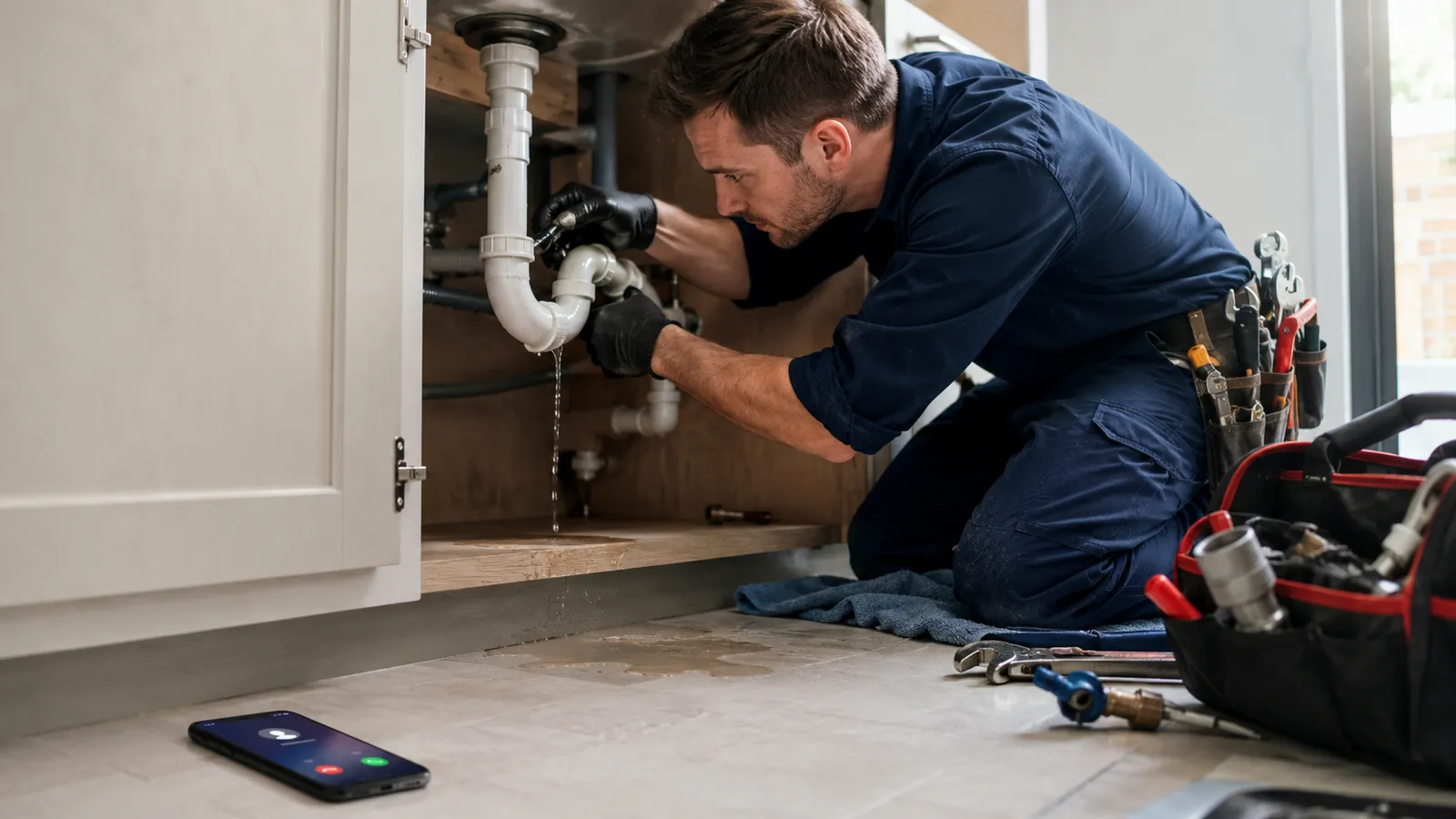
If you run a service business, the phone is still one of the main ways jobs arrive. Homeowners call when something breaks. Property managers call when a tenant is waiting. A missed ring often means the next company gets the work.
This guide covers what an AI receptionist is, how it differs from a traditional answering service, what it does day to day, which calls it should handle, which calls should stay human, what it costs in 2026, and how to know if your shop actually needs one.
You will not get a hype tour of “AI that runs your whole company.” You will get a practical definition, comparison criteria, clear boundaries, cost ranges, and an evaluation checklist you can use on any vendor—including us.
IMPORTANT
Key takeaways
- An AI receptionist is a phone capture and booking layer, not a full business operating system by itself.
- The useful test is Answer → Book → System: did the call become a scheduled job and a logged lead, or only a polite conversation?
- Traditional answering services and AI receptionists solve overlapping problems with different cost, speed, and control tradeoffs.
- Trust comes as much from escalation rules as from natural-sounding voice.
- Standalone phone tools often start around tens to low hundreds of dollars per month; full managed systems cost more and include booking, CRM, and follow-up.
- Evaluate with a scenario test (after-hours, emergency, spam, angry customer, VIP), not a scripted demo only.
What is an AI receptionist?
Definition: An AI receptionist is a voice agent that answers inbound business calls, follows your scripts and rules, collects structured information, books appointments when capacity and policy allow, and escalates to a person when the conversation leaves its lane.
Most service owners do not need “AI that chats.” They need the phone to produce four outcomes on one call:
- Answer — the line is picked up quickly, including nights and weekends.
- Qualify — service type, location, urgency, and basic fit.
- Book or route — calendar slot, dispatch queue, or clear next step.
- Record — notes, transcript, and CRM/pipeline update so nothing lives only in someone’s head.
If a tool only talks politely but cannot book or log the lead, it is not doing the full receptionist job.
That is different from a chatbot on your website, a simple auto-attendant (“press 1 for sales”), or a full managed CRM with follow-up workflows. Those tools can connect to an AI receptionist. They are not the same product category.
Text and SMS tools are related, but they are separate from the AI receptionist. This guide focuses on the voice front door: the calls coming into your business.
Why service businesses are adopting AI receptionists in 2026
Three pressures collide for plumbers, HVAC companies, electricians, roofers, and other local small business owners:
1. Callers expect you to be available
Zendesk’s CX Trends 2026 research reports that 74% of consumers say that because of AI they now expect customer service to be available 24/7 (Zendesk CX Trends 2026).
For trades, nights and weekends are not “nice to have.” That is when water heaters fail and AC units quit. If nobody picks up, many callers dial the next company on Google.
2. Speed decides who gets the job
When a lead comes in, the first company that responds usually has the edge. Harvard Business Review research on lead response (often summarized in industry write-ups) found firms that contacted leads within an hour were far more likely to qualify them than firms that waited longer—and waiting a full day made qualification dramatically worse (HBR lead-response study overview via Capture Client).
You do not need a perfect model of every study. You need a simple rule: if the phone rings and nobody answers for hours, someone else books the job.
3. Voicemail is a weak backup
BIA/Kelsey research, as summarized in trade coverage, found that about 67% of callers who reach voicemail do not leave a message—they hang up instead (Capture Client overview of BIA/Kelsey). GO-BOSS’s public industry framing puts a similar point at 70% of callers won’t leave a voicemail (GO-BOSS).
Bottom line for owners: Hiring another customer service representative (CSR) costs more every month as headcount grows. Hoping someone is free at 9 p.m. is not a process. The category is rising because the leak is easy to see—and the first fix is simple: answer the phone every time.
AI receptionist vs answering service vs human CSR vs IVR
Use this table when you compare options. Criteria are objective; winners depend on your volume, ticket size, and risk tolerance.
| Criterion | AI receptionist | Live answering service | In-house CSR / receptionist | Basic IVR / auto-attendant |
|---|---|---|---|---|
| Speed to answer | Typically seconds, 24/7 | Queue-dependent; 24/7 plans exist | Strong in hours; weak after-hours unless staffed | Instant menu, not a conversation |
| Booking into your calendar | Yes, if integrated | Sometimes (script + portal); quality varies | Yes | Rarely |
| Qualification depth | Strong within rules; weak outside them | Human judgment; script-dependent | Highest judgment | Low |
| Cost model | Software / package pricing | Per-minute or per-call + monthly | Salary + benefits + management | Low software cost |
| Brand control | High if you own scripts, voice, escalation | Medium; agent quality varies by shift | Highest when trained | Low |
| After-hours emergencies | Excellent for intake + dispatch rules | Good if trained on urgency scripts | Only if on-call staffed | Poor |
| Complex / emotional calls | Should escalate | Can handle more nuance | Best | N/A |
| Transcript + saved job record | Usually strong | Often summary notes only | Manual unless process is tight | Minimal |
| Languages | Multi-language common (vendor-dependent) | Depends on staffing | Hiring-dependent | Limited |
When a live answering service still wins: calls need a person’s judgment, the conversation is regulated, or you want human backup without changing software.
When a human CSR still wins: walk-ins, office coordination, loyal customers who expect a familiar person, and calls that need context from the team.
When IVR is enough: a simple phone menu works for larger teams that only need to route calls to live departments.
When an AI receptionist fits: many callers are ready to book, too many calls come in when nobody is at the desk, and you need coverage without hiring another full-time person.
What an AI receptionist does for a service business
Strip the buzzwords. Day-to-day value looks like this:
Capture
- Answers on the first rings during jobs, lunch, and overnight.
- Stops the “send to voicemail and hope” pattern.
Qualify
- Service type (repair, install, maintenance).
- Address / service area.
- Urgency (emergency vs scheduleable).
- Budget or membership signals if you choose to ask.
- Spam and vendor filter.
Book
- Offers real calendar slots.
- Sets expectations (arrival windows, prep, fees).
- Sends confirmation by SMS/email when connected to your stack.
Document
- Writes the lead into a pipeline.
- Stores transcript or summary for the tech and office.
- Tags source (Google, referral, repeat).
Recover
- Missed-call text-back if a human line was busy.
- Callback queues for overflow.
Protect
- Escalates angry callers, injuries, legal threats, and unusual situations a person should review.
- Respects do-not-serve lists and service-area boundaries.
If a product only “talks nicely” but cannot book or log, it is a novelty—not an AI receptionist for small business owners.
Calls an AI receptionist handles well
These call types are high volume, rule-friendly, and expensive to miss.
| Call type | Why AI fits | Success looks like |
|---|---|---|
| After-hours booking requests | Caller wants a slot, not a speech | Appointment on calendar + confirmation |
| New lead, standard service | Scriptable intake | Qualified job in pipeline |
| Service-area check | Clear yes/no rules | Polite decline or book |
| Hours, directions, payment FAQs | Stable answers | Fast resolution, no human needed |
| Reschedule / cancel (policy-bound) | Rules + calendar | Updated slot, logged reason |
| Overflow during peak season | Parallel answer capacity | No busy signal; queue clear for humans |
| Spam / solicitor filter | Pattern detection | Short end; team undisturbed |
| Membership / maintenance reminders inbound | Known intents | Route to plan or book tune-up |
Composite example (illustrative, not a named customer): A plumbing owner is under a sink at 7:40 p.m. A homeowner calls about no hot water. The AI receptionist confirms address, asks safety questions you approved, offers the next emergency or morning slot per your rules, texts confirmation, and drops the job into the board before the owner wipes their hands.
Calls an AI receptionist should never touch (or must escalate fast)
This section is as important as the sales pitch. Trust is built by knowing what to refuse.
| Call type | Why humans own it | Escalation pattern |
|---|---|---|
| Active safety emergency (gas smell, sparking panel, structural collapse) | Liability + calm authority | Immediate human / emergency services instructions per your script |
| Medical or life-threat situations | Outside business scope | Direct to emergency services; do not “troubleshoot” |
| Hostile or abusive callers | De-escalation and judgment | Warm transfer or supervised callback |
| Complex multi-trade quotes | Scope ambiguity | Book estimate with human sales |
| Billing disputes / collections arguments | Policy + tone risk | Accounting or owner |
| Legal threats, insurance counsel | Record and route carefully | Designated manager |
| VIP / high-value relationship accounts | Relationship capital | Named human path |
| Job-site changes mid-work | Context the model lacks | PM / lead tech |
| Anything your license/insurance forbids automating | Compliance | Hard block + human |
Handles Well / Never Touch (framework)
Use this two-column rule when you write prompts and SOPs:
- Handles well = high frequency, low ambiguity, clear booking or data outcome, reversible mistakes.
- Never touch = high harm if wrong, irreversible commitments, regulated advice, or relationship damage.
A serious vendor will help you encode this. A weak vendor will claim the agent “handles everything.”
The ABS ladder: Answer → Book → System
Phone AI fails in service businesses when it stops at conversation.
1. Answer
Someone (or something) picks up the phone right away. Fast pickup matters because callers will not wait—and many will not leave a voicemail.
Our AI receptionist averages 1.4 seconds to answer, runs at about 280ms voice latency, supports 12 languages, and in our stated metrics 9 out of 10 callers cannot tell they spoke to AI (GO-BOSS).
2. Book
A calendar event or dispatch assignment exists. No “someone will call you back” as the default ending—unless that is an intentional overflow rule.
3. System
The lead is in a pipeline, follow-up is scheduled if they did not book, reminders reduce no-shows, and quiet leads can be re-engaged later. On GO-BOSS, that operating layer is broader than the receptionist alone: missed-call text-back, CRM/pipeline, reminders, and outbound chase via agents such as Jessica (inbound answering, qualifying, booking) and James (quiet-lead follow-up days, nights, and weekends) (GO-BOSS).
One-line rule: Answering without booking still leaks revenue. Booking without a system still leaks—just later.
Simple leak math (bring your numbers)
You do not need a fancy calculator.
- Count missed or delayed inbound calls per week (after-hours + on-job).
- Multiply by % that are real jobs (many shops use 30–50% as a planning range—use your data).
- Multiply by close rate and average ticket.
GO-BOSS’s public pricing narrative frames typical service deal values around $500–$5,000 and notes that recovering even one opportunity can cover monthly system cost depending on tier (GO-BOSS Pricing). Packages start at $297/mo for Forge BOSS as listed there—always confirm live pricing before you buy.
If your average ticket is $1,200 and you recover two extra jobs a month that previously died on voicemail, the math usually beats another part-time phone hire—especially when nights are the gap.
How do you know if your business actually needs an AI receptionist?
You probably need one (or a serious phone process upgrade) if several of these are true:
- You miss calls while on jobs — and those calls are real revenue, not pure spam.
- After-hours and weekend rings go to voicemail with no booked next step.
- You already pay for ads or SEO, but speed-to-answer is inconsistent.
- Nobody owns the phone when the owner is on site—or ownership flips by day with no rules.
- You cannot hire a full-time CSR yet, but volume is past “I can catch every ring myself.”
- Your call types are mostly repeatable — booking, service area, FAQs, standard repair intake.
- You have (or want) a calendar and pipeline the phone can write into—not only a voicemail box.
You may not need AI phone coverage first if:
- Almost no inbound phone demand (your work is 100% outbound or referral-walk-in).
- Nearly every call is unique, high-stakes negotiation that must be human from second one.
- You will not define service area, hours, pricing rules, or escalation—and will not let anyone else set them up.
Quick self-check: If missing two jobs a month would hurt, and those jobs often start as phone calls after 5 p.m., phone coverage is not a gadget. It is leak control.
Want a structured view of where revenue is slipping—not only the phone? Run the free Operational Health Check and see where your business is leaking revenue across lead handling, admin, pipeline, and growth capacity.
What does an AI receptionist cost in 2026?
Short answer: Pure AI phone tools for small businesses often start roughly in the $30–$150/month range for entry plans, with higher tiers and overages as call volume rises. Hybrid AI-plus-human answering often starts higher (commonly near $95–$300+/month depending on included calls/minutes). Full managed systems that include receptionist plus CRM, booking, and follow-up cost more than a thin phone widget—GO-BOSS packages start at $297/mo (GO-BOSS Pricing).
How the market usually prices
| Type | Typical 2026 entry pattern | What you are buying | Watch-outs |
|---|---|---|---|
| Thin AI phone widget | Often ~$30–$100+/mo | Answer + basic FAQs; booking if integrated | Minute caps, overage fees, may not save job details cleanly |
| Mid-tier AI receptionist | Often ~$80–$200+/mo | Better voice, booking, some integrations | ”Unlimited” that is not unlimited; setup still on you |
| Hybrid AI + live agents | Often ~$95–$300+/mo entry; scales with volume | Human backup for messy calls | Per-call or per-minute spikes at peak season |
| Managed system (receptionist inside CRM/ops) | GO-BOSS from $297/mo | Answer + book + pipeline + follow-up + DFY setup | Compare whole system value, not voice alone |
Industry roundups in 2026 commonly place basic AI receptionist plans from about $29–$99/month on the low end, with hybrid human services and higher-volume plans climbing into the hundreds (Vellum 2026 small-business AI receptionist roundup; Trillet 2026 comparison overview). Treat competitor prices as market context—always verify the vendor’s live page before you buy.
Cost vs a human CSR
A full-time in-house receptionist is typically tens of thousands of dollars per year once you include wages, payroll taxes, unemployment insurance, health insurance, training, and management—far above most AI phone plans. That does not mean AI replaces every human role. It means many shops should not hire a night shift just to catch overflow and after-hours booking.
How to think about ROI
- Cheapest tool that cannot book or log may still lose jobs.
- Higher package that recovers one extra $1,200 ticket can pay for itself in a month.
- Ask every vendor: what is included, what is overage, who does setup, and what happens at 8 p.m. on a Saturday.
Confirm current GO-BOSS numbers on pricing.
How to evaluate an AI receptionist (checklist)
Run this before you sign anything. Score each item yes/no.
Scenario tests (make the vendor do these live)
- After-hours booking with real calendar constraints
- Emergency urgency script (your words)
- Out-of-area polite decline
- Spam / sales call termination
- Angry customer → human escalation
- Noisy background / interrupted caller
- Double-booking protection
Operations
- Saves the caller, job details, and next step in your CRM or job board the same day
- SMS/email confirmation
- Transcript access for techs
- Service area and hours can be changed without waiting days for support
- Clear person responsible for script changes
Risk & trust
- Written handoff rules for calls AI should and should not handle
- Recording/disclosure practices you accept
- Data handling: CCPA/GDPR language and a real DPA process if you need it
- No locked-in mystery contract if your risk tolerance is low
Commercial
- Pricing you understand (package vs per-minute surprises)
- Who does setup: you alone vs done-for-you
- Time-to-live stated in writing
A polished demo is not enough. Ten messy real calls beat one perfect scripted call.
Not sure which calls are slipping through? Find out exactly where your business is leaking revenue with the Operational Health Check—then bring those gaps into any vendor demo.
Common mistakes service businesses make
- Buying voice that cannot save appointments — if the call does not create a calendar event or job record, your team still has to chase the lead manually.
- No escalation list — one bad emergency call burns trust for a year.
- Same script for sales, service, and billing — confusion and wrong promises.
- Leaving the old “call my cell” culture in parallel with no rules — double booking and missed context.
- Judging only on “sounding human” — natural voice with wrong booking is still a failure.
- Skipping after-hours testing — that is where the ROI usually is.
- Expecting AI to handle every call by itself — it should answer, collect details, book simple jobs, and pass difficult calls to a person.
- Ignoring ongoing maintenance — bad FAQs and stale hours make any AI sound broken.
Where GO-BOSS fits
GO-BOSS is a managed CRM + automation system with done-for-you setup—a business operating layer for small and service businesses. The AI receptionist sits inside that system as the phone front door, not as the whole product story.
For phone handling, our site lists a 62% booking rate, 73% of after-hours calls booked automatically, 1.4-second average answer time, about 280ms voice latency, 12 supported languages, and 9 out of 10 callers cannot tell they spoke to AI (GO-BOSS). Packages start at $297/mo, with a money-back guarantee—see pricing for current wording. Setup is guided; use the live site for the current go-live window.
If you only need a thin phone widget, shop the category on that basis. If you need answer + book + follow-up without building it yourself, evaluate the full operating layer—not voice alone.
For CRM as an operating layer (not a filing cabinet), see AI CRM for service businesses.
Frequently Asked Questions
Will customers hang up if they realize it is AI?
Is an AI receptionist worth it if I only get a few calls a day?
Do I still need a human on the phone if I buy AI?
How hard is setup—and who maintains the scripts?
What happens when two calls come in at once?
Can it work with the calendar and field tools I already use?
Does AI replace a traditional answering service completely?
What should I ask on a demo call that vendors hope I skip?
Where AI receptionists go next for service businesses
Phone AI will not stay a “nice experiment” for long. In many local markets it is already moving toward table stakes—like having a website or Google Business Profile. By 2027, more of your competitors will use it to answer at night, book faster, and catch jobs that used to go to voicemail.
That is the simple pressure: grab those calls now and get ahead of the curve, or risk watching competitors squeeze extra revenue out of the same market while your team is still calling people back the next day.
What changes next is less about flashier voices and more about depth:
- From answer-only to outcome-only. The winning products will be judged on booked jobs, clean handoffs, and fewer no-shows—not on whether the voice “sounds human” in a demo.
- Tighter rules, not fewer humans. Safety, billing, and VIP paths will stay human. The edge goes to shops that write clear Handles Well / Never Touch rules and keep improving them from real transcripts.
- Receptionist inside the operating layer. Standalone widgets will still exist for thin use cases. The durable setup is phone coverage tied to calendar, pipeline, missed-call recovery, and follow-up so a Saturday lead does not die on Monday.
- Hybrid by design. Many owners will run AI for overflow and after-hours, with people on judgment calls. That mix will feel normal—not like a temporary compromise.
- Trust and proof over hype. Buyers will ask harder questions about concurrent calls, overages, data handling, and who owns script changes. Vendors that cannot show ugly real scenarios will lose to ones that can.
For small business owners, the practical future is simple: treat the phone as a revenue system, not a gamble. Start with the missed calls you can count. Demand booking and logging, not just a pleasant voice on the phone. Build escalation before you scale volume. The shops that do that will not only “try AI”—they will stop leaving jobs on the table while everyone else catches up.
If you want to see how that path looks when the receptionist sits inside a full managed system—not as a loose add-on—start with a clear map of your leaks, then a short working session on how calls should flow in your business.
See how this works inside your business
Twenty minutes. Map how leads actually reach you—Google calls, after-hours, website forms—and where they die today.
Prefer a self-serve leak check first? Run the Operational Health Check · View pricing · See how the system works
Related reading: